Introduction to Python Functions
Learn the fundamentals of Python functions, including parameters, arguments, default values, and advanced unpacking techniques.
 Atul Jha on Jan 1, 2026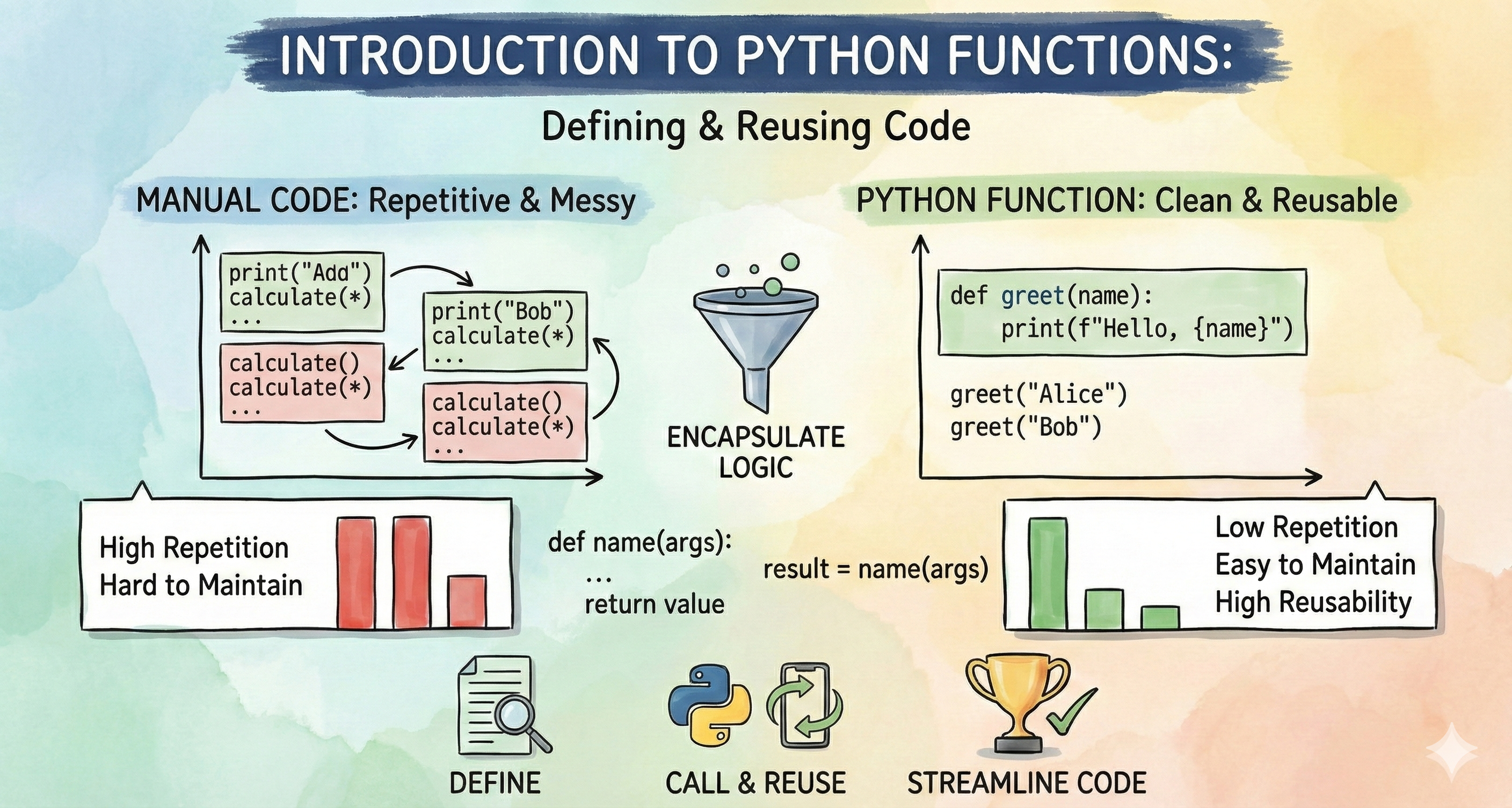
Functions
At its core, a function is a reusable block of code that performs a specific task. In Python, we define a function using the def keyword.
def function_name(parameters):
    """Optional docstring explaining what the function does."""
    # The code to run goes here
    return result
A function becomes much more powerful when it can handle dynamic data. We can do this using parameters.
Arguments and Parameters
def func(a, b):
    pass
The values that are passed to the function are called as parameters. In this context, a and b are called parameters of func. Also a and b are variables that are local to func.
x = 10
y = 'a'
func(x, y)
x and y are called the arguments of func, also in python x and y are passed by reference, i.e. the memory addresses of x and y are passed
Positional Arguments
The most common way of assigning arguments to parameters: via the order in which they are passed i.e. their position
def my_func(a, b):
    pass

my_func(10, 20)

# here a = 10; b = 20

my_func(20, 10)

# here a = 20, b = 10
Default Value
A positional arguments can be made optional by specifying a default value for the corresponding parameter. Keep in mind that if a positional parameter is defined with a default value every positional parameter after it must also be given a default value.
def my_func(a, b=5, c=10):
# code …
my_func(1)
#a = 1, b = 5, c = 10

my_func(1, 2)
#a = 1, b = 2, c = 10

my_func(1, 2, 3)
#a = 1, b = 2, c = 3
Keyword Arguments
But what if we want to specify the 1st and 3rd arguments, but omit the 2nd argument? i.e. we want to specify values for a and c, but let b take on its default value?
Positional arguments can, optionally, be specified by using the parameter name whether or not the parameters have default values. Keep in mind, once we use a named argument, all arguments thereafter must be named too
def my_func(a, b, c)
my_func(1, 2, 3)
my_func(1, 2, c=3)
my_func(a=1, b=2, c=3)
my_func(c=3, a=1, b=2)
def my_func(a, b=2, c=3):
    print("a={0}, b={1}, c={2}".format(a, b, c))
# Note that once a keyword argument has been used,
#  all arguments thereafter must also be named:

my_func(10, c=30, b=20)
a=10, b=20, c=30
my_func(10, b=20, 30)
  Cell In[3], line 1
    my_func(10, b=20, 30)
                        ^
SyntaxError: positional argument follows keyword argument
# However, if a parameter has a default value,
# it can be omitted from the argument list, named or not:

my_func(10, c=30)
my_func(a=30, c=10)
a=10, b=2, c=30
a=30, b=2, c=10
Unpacking Iterables
Packed Values
Packed values refers to values that are bundled together in some way, any iterable can be considered a packed value. This includes, tuples, lists, dictionaries, sets etc.
Unpacking is the act of splitting packed values into individual variables contained in a list or tuple. The unpacking into individual variables is based on the relative positions of each element. Similar to how arguments were assigned to parameters in a function call.
l = [1, 2, 3, 4]
a, b, c, d = l
print(a, b, c, d)
1 2 3 4
A application of unpacking is used while swapping values in python. For example, let's assign value 10, 20 to variable a and b respectively.
a, b = 10, 20
print("a={0}, b={1}".format(a, b))

a, b = b, a
print("Value of a and b after swapping are :")
print("a={0}, b={1}".format(a, b))
a=10, b=20
Value of a and b after swapping are :
a=20, b=10
# unpacking a set
s = {'p', 'y', 't', 'h', 'o', 'n'}
print("type of s is : ", type(s))

a, b, c, d, e, f = s

print(a,b,c,d,e,f)

# unpacking a dictionary

s = {'p':'p', 'y':'y', 't':'t', 'h':'h', 'o':'o', 'n':'n'}
print("type of s is : ", type(s))

a, b, c, d, e, f = s

print(a,b,c,d,e,f)
type of s is :  <class 'set'>
t p y n o h
type of s is :  <class 'dict'>
p y t h o n
a, b = l[0], l[1:]
print(a)
print(b)
1
[2, 3, 4]
But what about iterables which are not idexable. We can make use of the * operator.
Note that the * operator can only appear once! Like standard unpacking, this extended unpacking will work with any iterable.
a, *b = -10, 5, 2, 100
print(a)
print(b)


s = 'python'
a, b, *c, d = s
print(a)
print(b)
print(c)
print(d)
-10
[5, 2, 100]
p
y
['t', 'h', 'o']
n
We can also use unpacking on the right hand side of an assignment expression:
l1 = [1, 2, 3]
l2 = [4, 5, 6]
l = [*l1, *l2]
print(l)
[1, 2, 3, 4, 5, 6]
s1 = {1, 2, 3}
s2 = {3, 4, 5}
s3 = {5, 6, 7}
s4 = {7, 8, 9}
print(s1.union(s2).union(s3).union(s4))
print(s1.union(s2, s3, s4))
{1, 2, 3, 4, 5, 6, 7, 8, 9}
{1, 2, 3, 4, 5, 6, 7, 8, 9}
or an alternate way to unpack sets is :
{*s1, *s2, *s3, *s4}
{1, 2, 3, 4, 5, 6, 7, 8, 9}
The same works for dictionaries - just remember that * for dictionaries unpacks the keys only.
d1 = {'key1': 1, 'key2': 2}
d2 = {'key2': 3, 'key3': 3}
[*d1, *d2]
['key1', 'key2', 'key2', 'key3']
We can use the ** operator to unpack the key-value pairs for dictionaries
d1 = {'key1': 1, 'key2': 2}
d2 = {'key2': 3, 'key3': 3}

{**d1, **d2}
{'key1': 1, 'key2': 3, 'key3': 3}
my_list = [3, 6, 2, 8, 9]
*a, b = my_list

print(a)
print(b)

# This will fail, we can only use * once on left side. except when unpacking nested values
a, *b, (c, d, *e) = [1, 2, 3, 'python']

print(a, b, c, d, e)
*a, *b = my_list
[3, 6, 2, 8]
9
1 [2, 3] p y ['t', 'h', 'o', 'n']
  Cell In[15], line 11
    *a, *b = my_list
    ^
SyntaxError: multiple starred expressions in assignment
*args and **kwargs
Similar to tuple unpacking, we can use * and ** fo unpacking parameters
Unlike iterable unpacking, *args will be a tuple, not a list.
The name of the parameter args can be anything we prefer
we cannot specify positional arguments after the *args parameter
To pass keyword arguments we can make use of **kwargs
def func1(a, b, *my_vars):
    print(a)
    print(b)
    print(my_vars)

func1(10, 20, 'a', 'b', 'c')
10
20
('a', 'b', 'c')
# func2 accepting both *args and **kwargs

def func2(a, b, *args, **kwargs):
    print(a)
    print(b)
    print(args)
    print(kwargs)

func2(10, 20, 'a', 'b', 'c', d='d', e=8)
10
20
('a', 'b', 'c')
{'d': 'd', 'e': 8}